10 CIO Dashboard Tips
post by Chris Curran on June 25, 2009 3
3
 0
0 0
0Catch up on the CIO Dashboard Series: Part 1, Part 2, Part 3
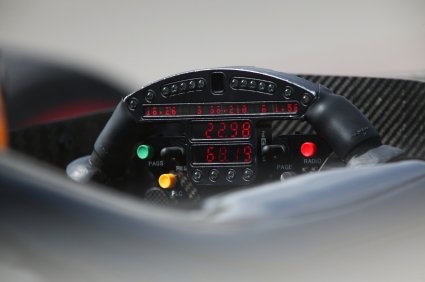
As a wrap-up to the CIO Dashboard series, I’ve summarized some of the key points and added a few new ones to this list of 10 CIO Dashboard tips. Thanks to two of my colleagues at Diamond, Jim Quick and Adrian Vern, who are experts in measuring and communicating IT value through dashboards and provided their ideas.
10 CIO Dashboard Tips
1. Know the questions your dashboard is trying to answer before building it
A financial services company we worked with a few years ago asked for help to review their IT dashboard and help them figure out how to make it better - that said, they were pretty proud of it. IT WAS A 20 PAGE POWERPOINT FILE! The basic issue they had is that they were trying to answer every conceivable question someone might have.
2. Make sure you can actually collect the data you want to measure
You can do some phenomenal business driven design for a dashboard, but if you don’t have the data, you are dead in the water. An insurance client wanted to measure productivity on his dashboard but didn’t have reliable time tracking. We had to come up with a proxy for productivity instead (using project budget, deliverables and milestones…).
3. Know your audience and understand how they consume information
Resist the temptations (or encouragement from staff or vendors) to use a fancy graphical dashboard tool for your early dashboard efforts. Bottom line is that busy executives and managers don’t have the time to browse your dashboard online. Know your audience(s) and how they consume their information. If they have a long Connecticut - NYC commute, maybe a podcast is the best way to deliver it!
4. Begin by summarizing and analyzing data you already collect
The easiest place to start is reporting on data you already collect and trust. Think about recent system or process that has been improved and its data scrutinized.
5. Your first dashboard should never use a dashboard tool - that should come later
Focus your initial efforts on defining the questions, understanding the audience and determining the credible metrics to report. You probably won’t get it right at first, so why waste the expense of a fancy tool until you learn more?
6. Dashboards should always have a printable version
If you want to make decisions using your dashboard, it should be portable and available when and where you need it. Once the dashboard is established, some consumers of the dashboard will hopefully start carrying it too. [if you deliver your dashboard on a mobile device, that will work too]
7. Incorporate application instrumentation into systems design process
This tip is a little more involved, but can create a lot of options for you. Basically, the idea is to create a standard way to collect business metrics and embed the collection into the related systems. I have helped a few clients do this specifically for metrics that were used in their business cases - sort of an automatic reporting feature to track the actual value their systems are helping to deliver.
8. Make sure those responsible for creating the dashboard understand who is reading it - it will increase quality
One of our insurance clients was having some data quality issues with an IT performance dashboard. So, they decided to make a big deal of letting everyone know who (the COO, CFO and CIO) was reading the dashboard and that they were all pretty disappointed with the unreliable information. This helped to improve the data almost overnight.
9. Create a report to perform checks and balances on core dashboard data to increase credibility
Another idea for improving dashboard data quality is to build a companion report to perform some checks and balances to increase confidence.
10. Keep a list that tracks the decisions and changes made as a result of dashboard analysis; attach quantitative and qualitative benefits that result
We all want to get value from our business investments. So, why not track the decisions made using a dashboard and the outcomes/results from the decision? See if this whole CIO Dashboard thing is worth it or not.
That’s it for the CIO Dashboard series. I hope it made you think a little. Please leave me some thoughts in the comments section.
Further Reading on Dashboards:
- Breaking Free of the One Page Dashboard Rule by Zach Gemignani
- Dashboard Confusion by Stephen Few
- Using Analytical Dashboards to Cut Through the Clutter by Kurt Rivard and Doug Cogswell, DM Review, April 2004
300
Pingback: 10 IT Metrics for a New CIO — CIO Dashboard()
Pingback: The CIO Guide to Dashboards — CIO Dashboard()